
Play games with an AI companion on your ChatGPT plan
Sei is an AI gaming companion: a free desktop app for Mac and Windows. If you have ChatGPT Plus or Pro, choose Continue with ChatGPT in Sei and your companions run on your ChatGPT plan. No API key, and no paid Sei plan.
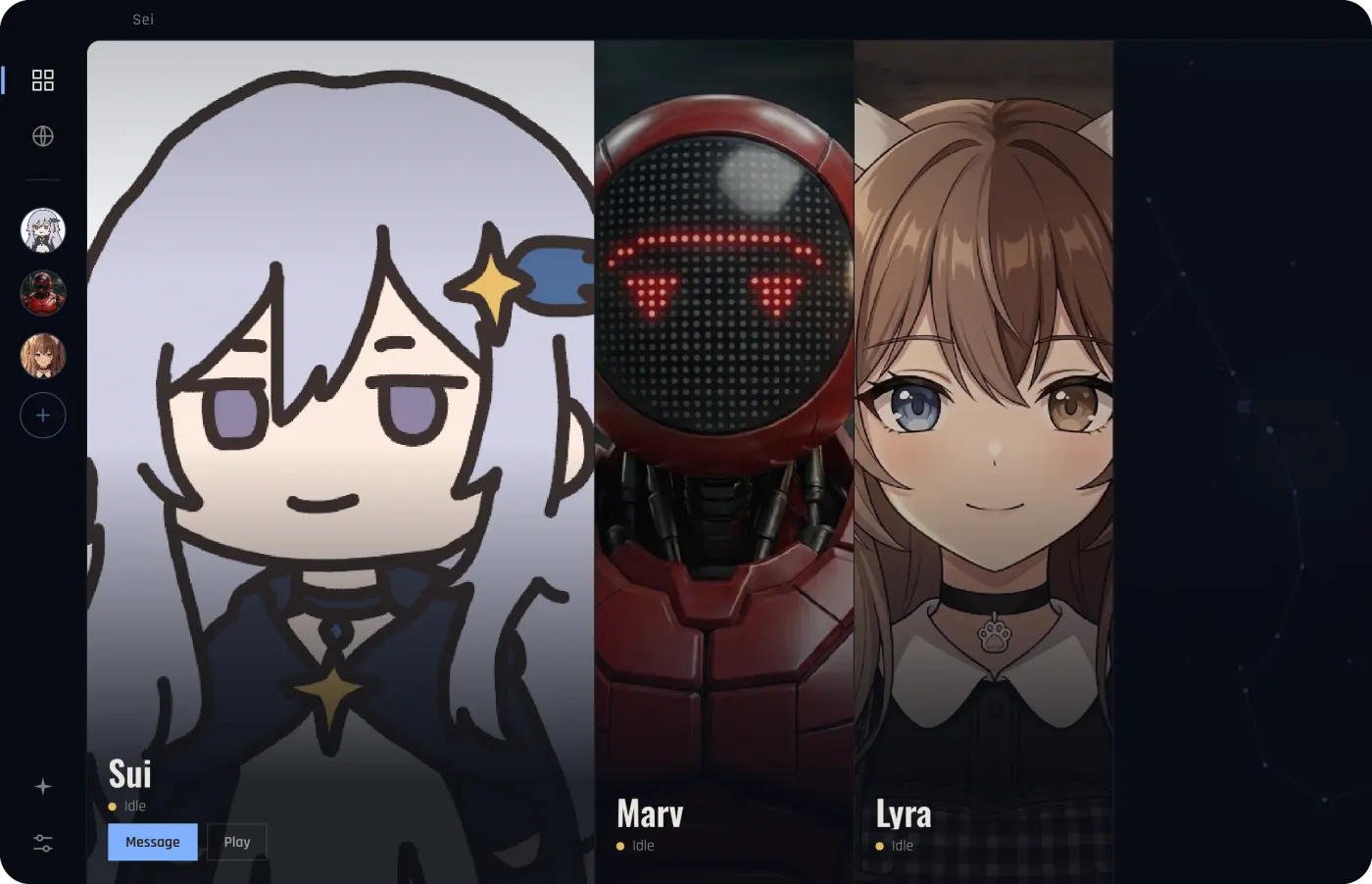
What it is
ChatGPT can talk about games, but it can't join your Minecraft world or sit in on your game. Sei can. Its companions play games with you: in Minecraft, Stardew Valley, and Don't Starve Together they join as a second player, in the app they play chess and Draw! with you, and with Backseat they watch any other game on your screen and talk about it.
Every companion needs an AI model to think and talk. On Sei's own plans that model runs on Sei's cloud. With Continue with ChatGPT, it runs on your ChatGPT plan instead. You sign in with your ChatGPT account, and Sei sends its AI requests on your plan, with no API key to create or paste.
How to connect your ChatGPT plan
- Download Sei for Mac or Windows and open it.
- Find the button. If you are signed in to Sei, open Settings, then AI, and find "Use your ChatGPT plan". If you are setting up Sei for the first time without an account, choose "Use my own API key", then pick ChatGPT plan as the provider. You can also choose Continue with ChatGPT on Sei's sign-in screen; after you sign in, Sei offers to run your companions on your ChatGPT plan.
- Press Continue with ChatGPT. Your browser opens ChatGPT's own sign-in page. Sign in and allow Sei to use your plan.
- Confirm in Sei. If you were on Sei's cloud credits, Sei asks "Use your ChatGPT plan?" first, because it changes what pays for your companions. Then you see "You're using your ChatGPT plan".
If plan use was not turned on during sign-in, Sei shows a "Turn on ChatGPT plan" button so you can allow it. You can add more than one ChatGPT account and switch between them. To stop, press Sign out in Settings, then AI. If you have a Sei account, you can switch back to Sei's cloud there at any time.
What runs on your ChatGPT plan
- Everything your companion thinks and says. Typed chat, what they say on voice calls, and the memory notes they keep about you.
- Playing in games. Their decisions in Minecraft, Stardew Valley, and Don't Starve Together: where to go, what to mine or plant, when to fight.
- The in-app games. Talking over a chess game, and drawing and guessing together in Draw!
- Backseat. Each look at your shared screen is sent to the model, so the model needs to see images. Sei checks your account's model list for that.
By default Sei picks the fast, efficient model in your ChatGPT account's list, since companions need quick replies and it goes easier on your usage. You can pick another model from your account's list in Settings, then AI, under Choose model.
What runs on your computer
- Voices. On the ChatGPT plan, Sei's cloud voices are not used. Download one of Sei's free on-device voice packs (English or Chinese, with a female and a male voice) in Settings, under Voice, or add your own ElevenLabs key.
- Hearing you. Speech recognition can run on your computer with Whisper or SenseVoice, or through ElevenLabs Scribe with your own key.
- Chess moves. The candidate moves come from the Maia-3 chess model, which runs on your computer. Your companion picks among them and talks about the game on your plan.
- Memory and chat history. Stored on your computer, as on every Sei plan.
Usage and limits
Usage counts toward your ChatGPT plan, not toward Sei's subscription or credits. You can see how much Sei has used, and manage its access, in ChatGPT's settings under Usage, and OpenAI's help center says you can set a weekly limit for each app there. If you have allowed apps to use ChatGPT credits after your plan limit (an OpenAI setting, off by default), Sei's requests can use them too. If you also pay for a Sei plan, it keeps renewing until you cancel it.
OpenAI says that on Plus, the five-hour usage limit is shared across every app that uses your ChatGPT plan, and that the five-hour limit does not apply to Pro.
When you reach a limit, Sei shows "Usage limit reached" and pauses its ChatGPT requests instead of retrying over and over. A companion in a game stops. Press Manage usage to see your limit in ChatGPT, or press Try again later. After about 15 minutes, Sei lets one request through to check whether the limit has lifted.
Privacy: what goes where
- Your password. You sign in on OpenAI's own page in your browser. Sei never sees your ChatGPT password.
- Your sign-in. The tokens that let Sei use your plan are stored encrypted on your computer, in the same protected storage as an API key. They are never sent to Sei's servers.
- Your conversations with companions. AI requests go from your computer straight to OpenAI, not through Sei's servers. Sei sends them with OpenAI's response storage turned off. Each request carries what the companion needs, like recent chat and their memory of you.
- Signing out. Sign out in Settings, then AI, and Sei asks OpenAI to cancel its sign-in. If Sei can't confirm that, it tells you, and you can disconnect Sei in your ChatGPT settings.
More detail on what Sei stores is in the privacy policy.
Requirements
| Computer | macOS (Apple Silicon or Intel) or Windows |
|---|---|
| ChatGPT | A ChatGPT Plus or Pro plan that OpenAI allows for use in apps |
| Sei plan | Any, including Free. A Sei account is optional. |
| Sei version | 0.6.9 or newer. The app updates itself. |
Questions
Can ChatGPT play Minecraft with me?
Can ChatGPT watch me play games and talk to me?
Can I use ChatGPT Plus instead of an API key?
Which ChatGPT plans work?
Does it use up my ChatGPT limits?
Can Sei see my ChatGPT chats or memories?
Is Sei free if I use my ChatGPT plan?
How do I limit or disconnect Sei?
Try it
Download Sei, press Continue with ChatGPT, and pick a game to play together.