
An AI companion for Roblox that watches you play
Sei is an AI gaming companion: a free desktop app for Mac and Windows. Pick a character, tell them which Roblox game you are in, and open Roblox. They watch you play, talk with you on a voice call, look things up when you ask, and remember you next time.
How it works
- Open the Roblox tile. In a chat with your companion, open Play together and pick Roblox (Backseat).
- Say which game. Search by name or paste the game's link, or pick from what is popular right now. This step is optional.
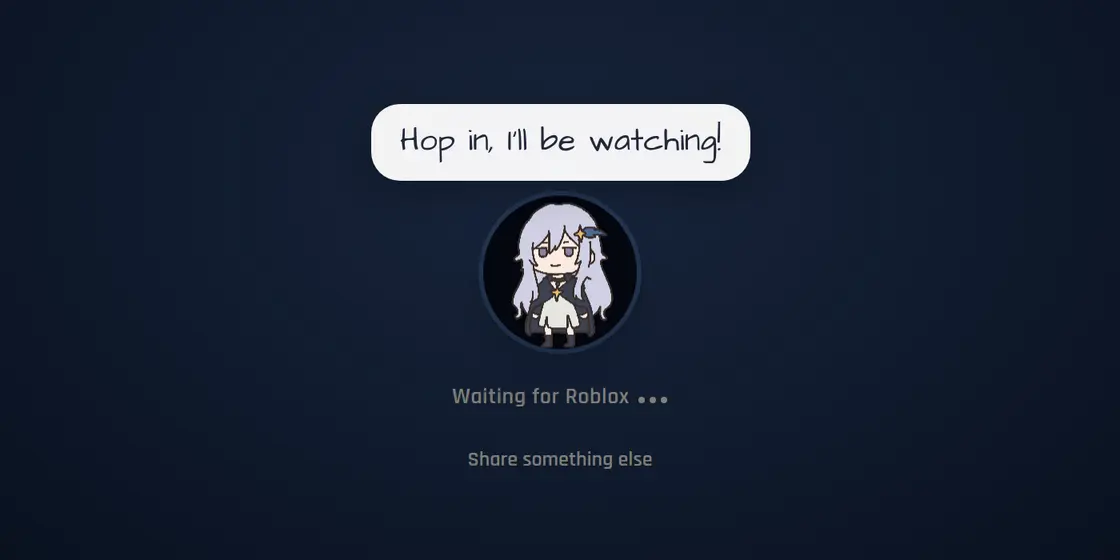
- Hop in. Sei starts a voice call and begins watching as soon as Roblox opens, game sound included. There is no window to pick.
- Play and talk. Your companion watches the last few seconds of play and says what they think. Talk back, ask a question, or type in the chat. When you speak, answering you comes first.
What your companion does while you play Roblox
- Watches with you. A close round, a lucky drop, a fall in an obby. They react to what just happened, not just describe it.
- Talks on voice. A real conversation on a call while you play, with a personality of their own. Some cheer you on, some tease you.
- Looks things up. Ask where to go next or what an item does. If they are not sure, they say they will check, search the web, and come back with an answer.
- Knows how Roblox works. Servers, obbies, tycoons, simulators, game passes, Robux. They ask how your game works when they do not know.
- Saves clips. When something good happens, they can save the last 15 seconds as a video and drop it in your chat.
- Remembers you. They can save what you tell them to long-term memory, so next time they know what you were working on.
- Keeps it friendly. Companions are told to keep Roblox talk suitable for all ages, never push you to spend Robux, never ask for your password, and call out offers of free Robux as scams.
Blox Fruits, Grow a Garden, Adopt Me!, and the rest
Every Roblox game is different, so your companion starts by learning yours. Pick the game you are in and they know its name, genre, and what it is about. Then just play. Grinding levels in Blox Fruits, waiting on a harvest in Grow a Garden, trading in Adopt Me!, or role-playing in Brookhaven RP, they follow along and talk about what you are doing. If a game is not on the popular list, search for it or paste its link.
Picking your Roblox game
When you open the Roblox tile, Sei shows a short list of games that are popular right now, each with a screenshot and how many people are playing it. If yours is not there:
- Search by name. Type the name and press Enter.
- Paste the link. Copy the address of the game's page on roblox.com (it contains
/games/and a number) and paste it in. Share links from the Roblox app do not work yet. - Skip it. Your companion works out the game from the window and the screen, or asks you.
From the game's public page, your companion learns its name, genre, creator, how many players fit in a server, how many visits it has, and the start of its description. Sei reads that page the same way a browser does, without signing in.
Waiting for Roblox to open
After you pick, Sei starts a voice call and your companion says hello. Then Sei waits for the Roblox window. As soon as it opens, your companion starts watching, with the game's sound. If you close Roblox to switch games, Sei goes back to waiting and picks it up again when Roblox reopens. If you would rather share a different window, press Share something else.
Watching, not playing
In Minecraft and Stardew Valley, a Sei companion joins the game as a second player. Roblox is different. Your companion does not join your server or control anything. They watch through Backseat, Sei's screen-share mode, like a friend on a call watching your stream. Nothing is installed into Roblox, and Sei never needs your Roblox login.
The same companion in every game
Roblox is one way to play with your Sei companion. The same character, with the same memory of you, also joins your Minecraft world, farms beside you in Stardew Valley, survives with you in Don't Starve Together, plays chess, and takes turns drawing in Draw!. See all of Sei.
For parents
Sei is a general app for teens and adults. These are the facts a parent usually wants to check:
- Age. Sei accounts are for ages 13 and up.
- No access to the Roblox account. Sei never asks for a Roblox login and cannot see or change anything in the account. It cannot spend Robux.
- No control of the game. The companion cannot move the character, type in Roblox chat, or message other players. It talks through Sei on the computer, not through Roblox voice or text chat.
- House rules for the companion. In Roblox sessions, companions are told to keep talk suitable for all ages, never push spending Robux or real money, never ask for passwords or where someone lives, and call out free Robux offers as scams.
- What stays on the computer. Clips, memories, and chat history are stored on the computer, not on Sei's servers. Screen frames go to the AI model so the companion can see them. Details are in the privacy policy.
- Cost. The Free plan needs no card. Paid plans are optional monthly subscriptions.
Requirements
| Computer | macOS (Apple Silicon or Intel) or Windows, with Roblox on the same computer |
|---|---|
| Games | Any Roblox game. No mods, plugins, or Roblox login. |
| Permissions | On a Mac, Screen Recording for Sei, and the microphone for the call. Sei shows you where to turn them on. |
| Game sound | Windows, or macOS 13 or newer. |
| Model | Included on the hosted plans. If you bring your own key or a local model, it needs to be able to see images. |
| Age | 13 or older to make a Sei account. |
Questions
Does Sei play Roblox for me?
Which Roblox games does it work with?
Does Sei start watching every time I open Roblox?
Can my companion answer questions about my game?
Does Sei touch my Roblox account or game files?
Who can use Sei?
Is it free?
Play Roblox with a companion
Download Sei, pick a companion, and open the Roblox tile in your chat.