
An AI backseat gamer that watches you play
Sei is an AI gaming companion: a free desktop app for Mac and Windows. With Backseat, you share your screen and your companion watches you play. Any game works. They talk with you out loud, have opinions about your choices, and remember you next time.
What is an AI backseat gamer?
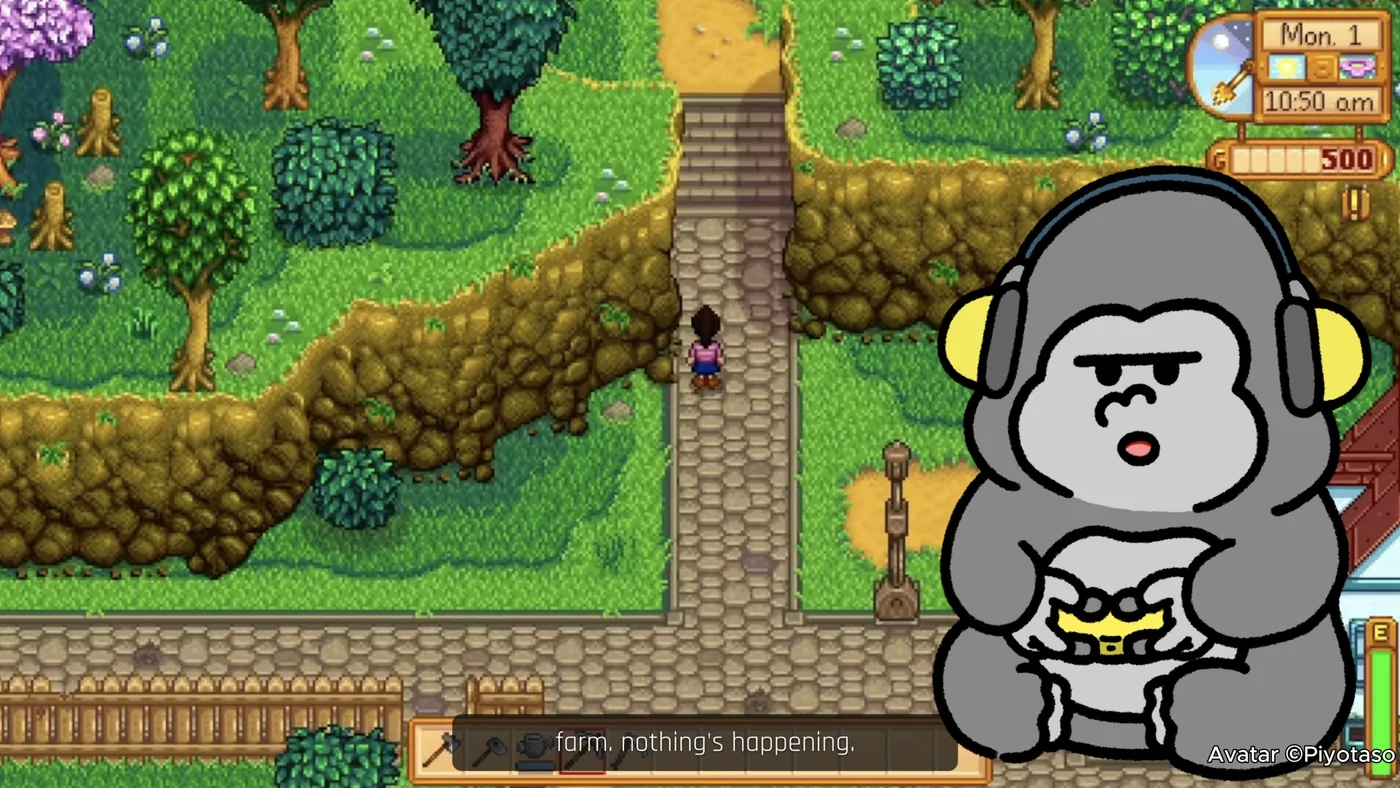
A backseat gamer is the friend on the couch who watches you play and has something to say about it. An AI backseat gamer does the same thing through screen sharing: an AI that watches your game and talks with you about it while you play. Some of these tools are built as coaches that hand out tips. Backseat is built as company. Your Sei companion has a personality and a voice, reacts to what just happened, asks you things, and remembers you the next time you play together.
How the AI watches you play
- Share your screen. Press the Backseat button in a chat with your companion. Pick one window or your whole screen. The sound comes along too.
- Play like normal. Sharing starts a voice call. Your companion looks at a few frames from the last few seconds of play, hears the game, and says what they think.
- Talk back. Answer them or ask a question out loud. When you speak, answering you comes first, with the screen in view. You can still type in the chat, but typed messages are answered without a look at the screen, so ask about what is on screen out loud.
What your companion can do while you play
- Watch any game. There is nothing to install per game. They read the window title, so they know what you are playing. See Backseat by game below.
- React to what just happened. A close fight, a bad trade, a long walk. They say what they think, not what you both just saw.
- Hear the game. Dialogue, narrators, and casters are turned into text on your computer, so they can react to what was said.
- Talk out loud. They speak in their own voice on the call, with captions over your game. They can talk in English, Chinese, Japanese, Korean, French, or Spanish, following the language you choose for your chats.
- Push you a little. They ask questions, dare you to take the risky option, or tell you when you are about to make a mistake. How they do it depends on their personality.
- Save clips. When something good happens, they can save the last 15 seconds or so as a video and drop it in your chat, with a line about why.
- Remember you. They can save what you tell them to long-term memory. Next time, they know what you played together.
- Watch more than games. Share a film, a stream, or a feed of short videos, and they watch along with you.
Started from the Roblox tile, your companion can also look things up on the web mid-game: they say they will check, search, and come back with an answer. In an ordinary screen share they answer from what they see and what they already know.
When your companion speaks
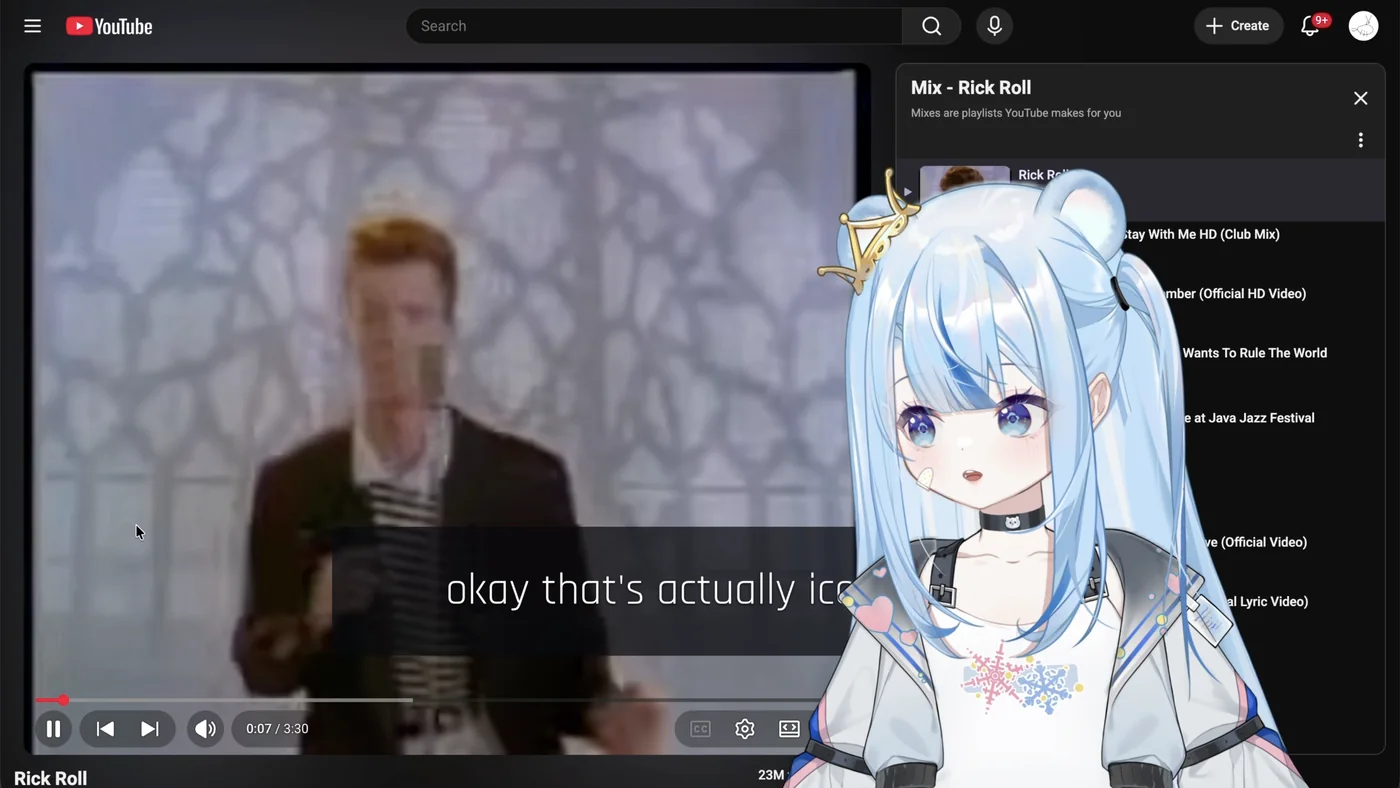
Backseat is not a live commentator reading every frame. It works more like a friend glancing at your screen between sips of their drink:
- A first look about two seconds after you start sharing.
- When something jumps out: a sudden loud moment, or a new scene or window that stays on screen for a few seconds.
- Now and then on their own: otherwise they take a look at random, every 12 to 60 seconds.
- Whenever you talk to them. Your questions always get an answer, and they come first.
Each look is a handful of frames from the last six seconds, plus what they saw the last time they spoke, so they can tell what changed. They leave at least eight seconds between lines unless you speak to them, and keep each line short.
Privacy: what it sees and what stays on your computer
- Only what you share. Your companion sees the one window or the screen you pick, and nothing while you are not sharing. There is no camera, so they never see you.
- Game sound. It is never sent anywhere as audio. Speech in it is turned into text on your computer by a small Whisper model (about 40 MB for English, 80 MB for other languages, downloaded the first time). Only that text goes to the AI. The sound comes from your whole computer, not just the shared window, so voices from another app, like a voice chat, can end up in that text too.
- Your voice. What you say on the call is turned into text so your companion can answer. By default this uses a cloud speech-to-text service. If you use your own API keys, you can switch to speech recognition on your computer instead.
- Clips. Saved as video files in Sei's folder on your computer and shown in your chat.
- Memories and chat history. Stored on your computer, like the rest of Sei.
- Your screen. The frames from each look are sent to the AI model so your companion can see them: through Sei's server on the hosted plans, straight to your provider with your own key, or nowhere at all with a local model. Sei's server does not store message content. Details are in the privacy policy.
- Your stream. The avatar and captions are hidden from screen recordings by default, so they do not show up in your own recording or stream. You can turn them on with "Show avatar in screen recordings."
How it is different from an overlay assistant
Many AI gaming tools are built to answer questions. You ask where an item is or how to beat a boss, and they give you the answer. That is useful when you are stuck. Backseat is built for the rest of the time. It is a friend on a call who watches you play, has a personality, and talks with you about it. It is not a walkthrough and does not have a database of guides. If you mostly want step-by-step solutions, a dedicated guide tool may suit you better. If you want company while you play, that is what Backseat is for. See Sei vs AI gaming coaches and overlays below for a side-by-side look at Questie AI, HakkoAI, Sidekick AI, Navi, NVIDIA Project G-Assist, and Player2.
Sei vs AI gaming coaches and overlays
Last checked
AI that keeps you company while you play comes in a few forms. A watch-and-talk companion such as Questie AI or Navi sees your screen and chats with you on voice. A coach such as Sidekick AI or HakkoAI also watches, but its main job is tips: boss fights, puzzles, item builds, and timings. A PC assistant overlay such as NVIDIA Project G-Assist opens over your game and tunes settings and hardware when you ask. A platform for AI mods such as Player2 puts AI characters inside games that have a mod for it.
Backseat is a watch-and-talk companion. You share a window or your screen, and your Sei companion watches, hears the game, and talks with you on a voice call. It is built for company more than coaching. Sei runs on Mac and Windows, and the same companion also plays inside Minecraft, Stardew Valley, and Don't Starve Together.
Sei makes this page. We took every fact about the other products from their own websites and store pages on 2026-10-21 and link the pages we used. Where a page did not say something, the table says "not listed". Prices are in US dollars and change often. If something here is out of date, tell us on Discord and we will fix it.
| Name | What it does | Runs on | Voice | Memory | Price | Own key or local model |
|---|---|---|---|---|---|---|
| HakkoAI | Watches your screen and pushes tips at key moments, like item builds in League of Legends. Looks things up on the web. | Windows PC; iOS and Android apps | Voice calls (30 minutes a day free, 120 on Pro) | Yes, across games | Free plan (weekly credits). Screen recognition is on Pro, from $9.90/month | Not listed |
| Navi | Watches your screen and talks with you about any PC game, or videos. 18 personalities; companion, roleplay, and coach modes. | Windows. Limited alpha. | Push-to-talk or voice activation | Yes, across sessions | Free plan (1 hour a day, 6 characters). Navi+ $12.99/month | Not listed |
| NVIDIA Project G-Assist | PC assistant in the NVIDIA app overlay (Alt+G). Tunes game and system settings, reports performance, records clips. NVIDIA says it is not meant to be a broad conversational AI. | Windows 10 or 11, GeForce RTX GPU with 6 GB+ of video memory | Voice or text commands (voice on RTX 30 series and newer) | Not listed | Free | Runs on your GPU with a small local model, and works offline |
| Player2 | A platform that AI mods and indie games connect to: AI characters inside Minecraft, RimWorld, Kenshi, and more. | Player2 desktop app; web games and stories | Speech tools for mods; depends on the mod | Depends on the mod | Free (a free model plus a daily allowance for larger models). No paid plan listed | Not listed |
| Questie AI | Watches your screen and reacts on voice chat. 100+ companions or your own; up to 4 at once on its top plan. | Web browser; iOS and Android apps | Voice chat, 50+ languages | Yes, across sessions | Free trial. Adventurer $19.99/month | Own API keys on Champion ($49.99/month) and Legend |
| Sei (Backseat) | Watches the window or screen you share, hears the game, and talks with you. Saves clips of good moments. Company, not a coach. Also plays inside Minecraft, Stardew Valley, and Don't Starve Together. | macOS (Apple Silicon and Intel) and Windows | Voice calls, 6 languages | Yes, stored on your computer, shared across games | Free plan (weekly allowance, no card). Quest $8/month, Party $18/month | Yes: 7 API providers, or Ollama on your computer (the model must see images) |
| Sidekick AI | Watches your screen and coaches you by voice through bosses, puzzles, and walkthroughs. 3D avatar; clips your best moments. | Windows 10 or 11, through Steam. Early Access. | Voice in and out, 12 languages | Cross-session memory is a goal for the end of Early Access | Free (10 minutes a day). Pro gives 90 minutes a day; price not on its website | Not listed |
Sources, checked 2026-10-21: hakko.ai, HakkoAI pricing, HakkoAI downloads, heynavi.gg, NVIDIA Project G-Assist, player2.game, Player2 FAQ, questie.ai, Questie AI pricing, Questie AI FAQ, sidekick.modax.ai, Sidekick AI on Steam.
Where they are stronger than Sei
- Coaching and game knowledge. HakkoAI gives game-specific tips in competitive games and searches the web for answers in any game. Sidekick AI has guides for hard single-player games such as Elden Ring and Baldur's Gate 3. Backseat has no guide database, and in an ordinary share your companion answers from what they see and already know.
- Phones, the browser, and streams. Questie AI runs in a web browser, has iOS and Android apps, and has a co-host mode for Twitch streamers. HakkoAI has phone apps too. Sei is a desktop app only.
- Languages. Questie AI lists 50+ voice languages and Sidekick AI 12. Sei talks in 6.
- More than one watcher. Questie AI's top plan runs up to 4 companions at once. In Sei, one companion watches the screen and the others on the call chat as usual.
- Tuning your PC. G-Assist changes graphics settings, checks frame rates and drivers, and controls lights and fans, all on your own GPU. Sei does none of that.
- AI inside many more games. Player2's mods put AI characters into games like RimWorld and Mount & Blade II. Sei plays inside three games and watches the rest.
- Text and pauses. Backseat always runs on a voice call. There is no text-only mode and no pause button yet.
Where Sei is different
- It runs on a Mac. Sei is a native app for macOS (Apple Silicon and Intel) and Windows. HakkoAI, Navi, Sidekick AI, and G-Assist list Windows downloads only.
- A friend, not a coach. Your companion has their own personality and voice, reacts to what just happened, and talks about it with you. Tips come when you ask.
- It hears the game. Dialogue and casters in the game sound are turned into text on your computer, so your companion knows what was said. The audio itself never leaves your computer.
- One companion in many games. The same character, with the same memory of you, also joins your Minecraft world, farms with you in Stardew Valley, plays chess, and takes turns in Draw!.
- Your own model, or none of ours. Start on the Free plan with no card, or use your own key with Anthropic, OpenAI, DeepSeek, Qwen, Google Gemini, Grok, or OpenRouter, or a local model with Ollama. The model needs to see images.
- Open source, and nothing in your game. The app is on GitHub under AGPL-3.0. Backseat captures your screen the way recording apps do. It does not read game memory, install mods, or press keys.
These products do different jobs, and some people use more than one. We have not tested each of them side by side with Sei. For companions that play inside games, such as MinePal, see the comparison of AI gaming companions.
Backseat by game
Backseat works the same way in any game you can see on your screen: a shooter, a cozy farming game, a strategy game, or something you found yesterday. A few games have their own pages:
- Roblox. Roblox has a tile of its own in Sei. You can say which Roblox game you are in first, Sei starts watching as soon as Roblox opens, and your companion can look things up on the web when you ask something they do not know.
- Elden Ring. Someone on the call for the long runs, the boss attempts, and the moment you finally get through.
- Hollow Knight: Silksong. Company for a hard game, on Mac or Windows, that works for the original Hollow Knight too.
- Valheim. Someone on the call for the long nights, the corpse runs, and the boss you finally summon, on Mac or Windows, alone or on a friend's server.
- Factorio. Company for the long builds, the biter attacks, and the rocket launch, on Mac or Windows, alone or on a friend's server. It sees the factory, not the small numbers on it.
The same companion in every game
Backseat is one way to play with your Sei companion. The same character, with the same memory of you, also joins your Minecraft world as a real player, farms beside you in Stardew Valley, plays chess, and takes turns drawing in Draw!. See all of Sei.
Requirements
| Computer | macOS (Apple Silicon or Intel) or Windows |
|---|---|
| Games | Anything you can see on your screen. No mods or plugins. |
| Permissions | On a Mac, Screen Recording for Sei, and the microphone for the call. Sei shows you where to turn them on. |
| Game sound | Windows, or macOS 13 or newer. |
| Model | Included on the hosted plans. If you bring your own key or a local model, it needs to be able to see images. |
| Status | Backseat is in beta. |
What to know before you start
- It runs on a voice call. Sharing starts a call and ends when the call ends. There is no text-only mode and no pause button yet.
- One thing at a time. End a Minecraft session with your companion before you start Backseat with them.
- It only sees what you share. There is no camera, so your companion never sees you, only the window or screen you pick.
- One companion watches at a time. If more than one companion is on the call, the first one watches the screen and the others chat as usual.
- Headphones help. On speakers, your microphone can pick up the game sound along with your voice.
- It looks, it does not play. Your companion does not press keys, click, or move anything in your game. If you want a companion who plays alongside you, try Minecraft, Stardew Valley, or Don't Starve Together.
- It uses your allowance. Every look is a call to the AI model, so Backseat draws on the same weekly allowance as chat and calls. When it runs out, your companion stops reacting to the screen until it refreshes or you top up.
Questions about Backseat
Is there an AI that watches you play games and talks to you?
What is the best AI gaming companion app?
Is there a free AI companion for gaming?
What is a good alternative to Questie AI?
Is Sei an AI gaming coach like Sidekick AI or HakkoAI?
Is there an AI that watches you play games on a Mac?
How is Sei different from Player2 or NVIDIA G-Assist?
Does it see my whole screen?
Which games does Backseat work with?
Does it talk out loud?
Will it spoil the game for me?
Can it help me when I am stuck?
Can my companion hear the game?
How often does my companion talk?
Will the avatar show up on my stream or recording?
Does Backseat touch my game files?
Can Backseat get me banned by anti-cheat?
Will my companion remember what we played?
Does it work on console, phone, or Linux?
Why does my Mac ask for Screen Recording permission?
Is Backseat free?
Try Backseat
Download Sei, pick a companion, and press the Backseat button in your chat.