
A Factorio AI companion that watches you play
A Factorio session can run for hours, and most of them you play alone. With Sei's Backseat mode, your AI companion watches you build, notices when the biters come back, and talks with you out loud on a voice call. It works on Mac and Windows, with no mod.
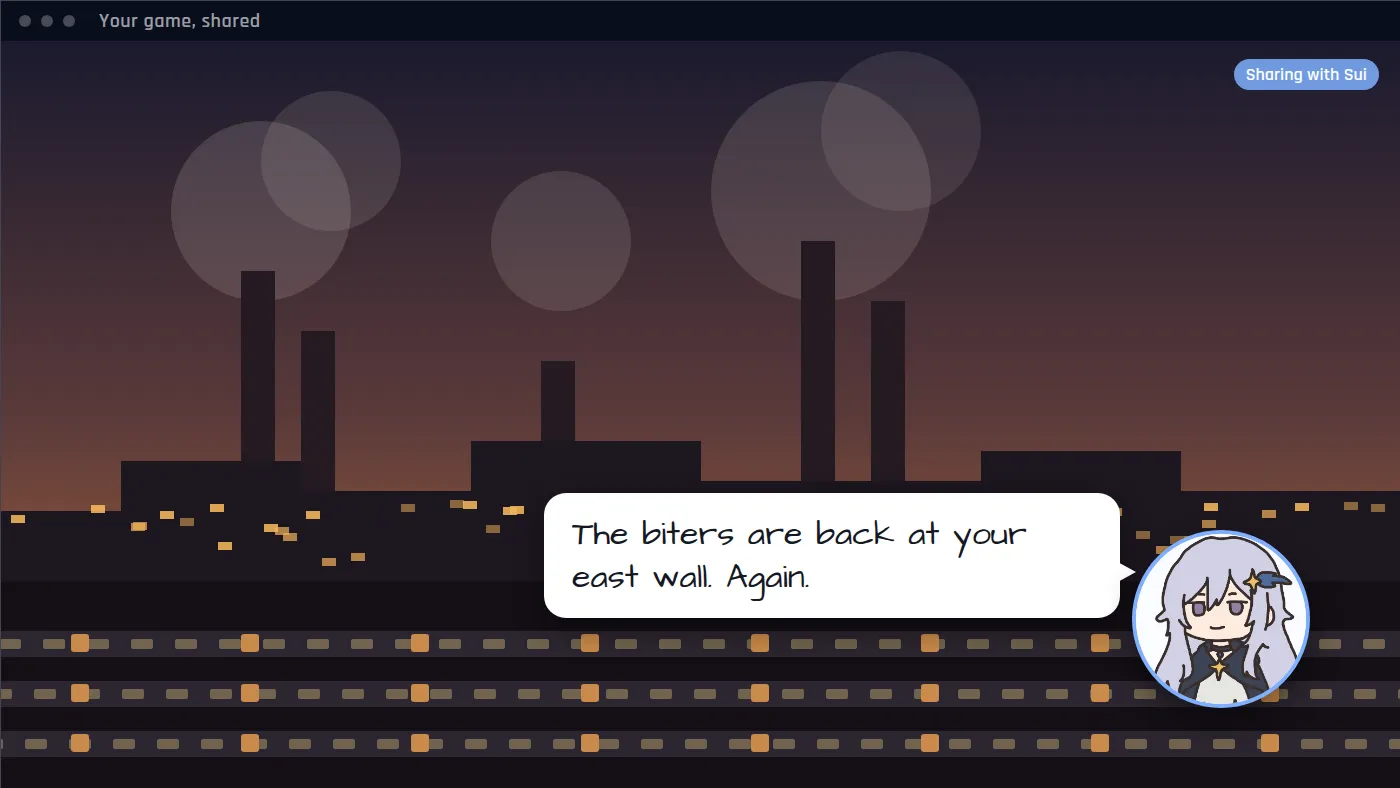
Not a Factorio mod: what Sei is
Most Factorio AI companions are mods or scripts that put an AI character into your world, or let an AI agent place buildings for you. Sei is a separate desktop app instead. You share your screen, and your companion watches and talks with you on a voice call. Nothing goes into your mods folder, nothing is added to your save or your server, and there is nothing to update when the game patches. Your companion cannot lay a belt for you. They watch, react, and talk.
What your companion does while you play
- Reacts to what just happened. Each look is a handful of frames from the last six seconds, so they see the train that just pulled in or the wall that just got hit, not a single still picture.
- Hears the game. The sound comes along with the share. A sudden loud moment, like an attack on your defenses, makes them take a look right away.
- Answers when you talk. Ask whether your main bus is wide enough, or what to automate next. Your questions come first.
- Talks about the game. They know what the AI model behind them knows about Factorio, which is a lot for a game this widely played. It can still be wrong on exact recipes, ratios, or numbers.
- Saves clips. A rocket launch, the first train that runs on time, or a reactor that should not have done that: they can save the last 15 seconds or so as a video and drop it in your chat.
- Remembers you. They remember what was said earlier in the call, and can save what you tell them, so next time they know what you were building and what you planned next.
How they say it depends on the companion. Sui teases you a little about your spaghetti. One you make yourself can be calm, dry, or very excited about trains.
Factorio moments it is made for
- The long middle of a build. You have been placing the same smelter row for twenty minutes. Someone is there to talk to while you do it.
- The biters come back. The alarm goes off at the far wall. They saw it too, and they ask if you remembered the ammo.
- The redesign. You decide to tear it all down and do it properly this time. They have opinions about whether you will.
- The train jam. Everything stops at one junction. You stare at it together.
- The rocket. After hours of work it finally goes up. They are on the call for it, and the clip is in your chat.
Set it up for Factorio
- Install Sei on your Mac or Windows PC and pick a companion, or make your own.
- Start Factorio and load your save, or join a friend's server.
- Press the Backseat button in a chat with your companion. Pick the Factorio window or your whole screen. The sound comes along too.
- Play. Sharing starts a voice call. Talk whenever you like, or just let them watch.
On a Mac, allow Screen Recording for Sei the first time. Sei shows you where. Game sound needs macOS 13 or newer. If the shared picture comes up black, try the game's windowed or borderless mode, or share your whole screen instead of the window.
Honest limits with Factorio
- It sees the picture, not the numbers. Each frame your companion gets is small, so tooltips, item counts, and small icons are often too small to read. Zoom in, open the panel you want to talk about, or just tell them.
- It is not a calculator or a guide. In an ordinary screen share your companion does not search the web. For exact ratios or a recipe, use a calculator or the wiki.
- 2.0 and Space Age may be thin. Your companion knows what the AI model behind them knows, and that can mix up the older game with 2.0 and Space Age. What they see on your screen is always current.
- It looks, it does not play. They cannot press keys, move your character, or place buildings, and they do not read game memory or change game or save files.
- It runs on a voice call and uses your allowance. Sharing ends when the call ends, and there is no pause button yet. Every look is a call to the AI model, so it draws on the same weekly allowance as chat, and a long session uses more. If it runs out, Sei tells you and your companion goes quiet. Backseat is in beta.
- It hears your computer's sound, not only the game's. If you are on voice chat with friends, what they say can end up in the text your companion gets, and on speakers your microphone can pick it up too. Headphones help.
Everything else about Backseat, including what stays on your computer, is on the Backseat page.
Is it OK to use Sei with Factorio?
Sei never touches Factorio itself. It does not install a mod, read the game's memory, change game or save files, run console commands, or press keys. It captures the window you share, the way a streaming app does. Wube Software's terms of service (last updated 10 October 2024) let players make videos of the game and monetize them, and we found nothing in them about screen sharing or companion apps. The Steam store lists no anti-cheat for Factorio. Sei is not endorsed by Wube Software.
Questions
Is this a Factorio mod?
Can my companion build in my factory?
Can they read my belts and ratios?
Does it work when I play Factorio with friends?
Does it work on Mac?
Does my companion know Factorio 2.0 and Space Age?
Will Factorio treat Sei as a cheat?
Is it free?
Try it
Download Sei, pick a companion, start Factorio, and press the Backseat button in your chat.