
An AI gaming companion that plays with you
Sei is a free desktop app for Mac and Windows that brings AI companions into the games you play. In some games your companion joins as a second player and plays beside you. In every other game they watch your screen and talk with you on a voice call. Each companion has their own personality and voice, and one memory of you that follows them from game to game.
What is an AI gaming companion?
An AI gaming companion is an AI character who keeps you company while you play. You talk to them by text or by voice, they react to what happens in your game, and they remember you the next time you play. Think of a friend on a call who is always free, rather than a guide or a cheat tool.
AI gaming companions come in two kinds, and most apps only do one of them:
- Watch and talk. You share your screen, and the companion comments, answers questions, and chats with you on voice. This works with almost any game, but the companion cannot move, build, or fight for you.
- Play inside the game. The companion gets a body in the game world and acts there. They follow you, gather, build, and fight. This only works in games the app supports.
Sei does both, with the same companion.
A companion who joins your game
In three games your Sei companion joins as a second player. You see them in the world, and they act on their own while talking with you in chat or on a voice call.
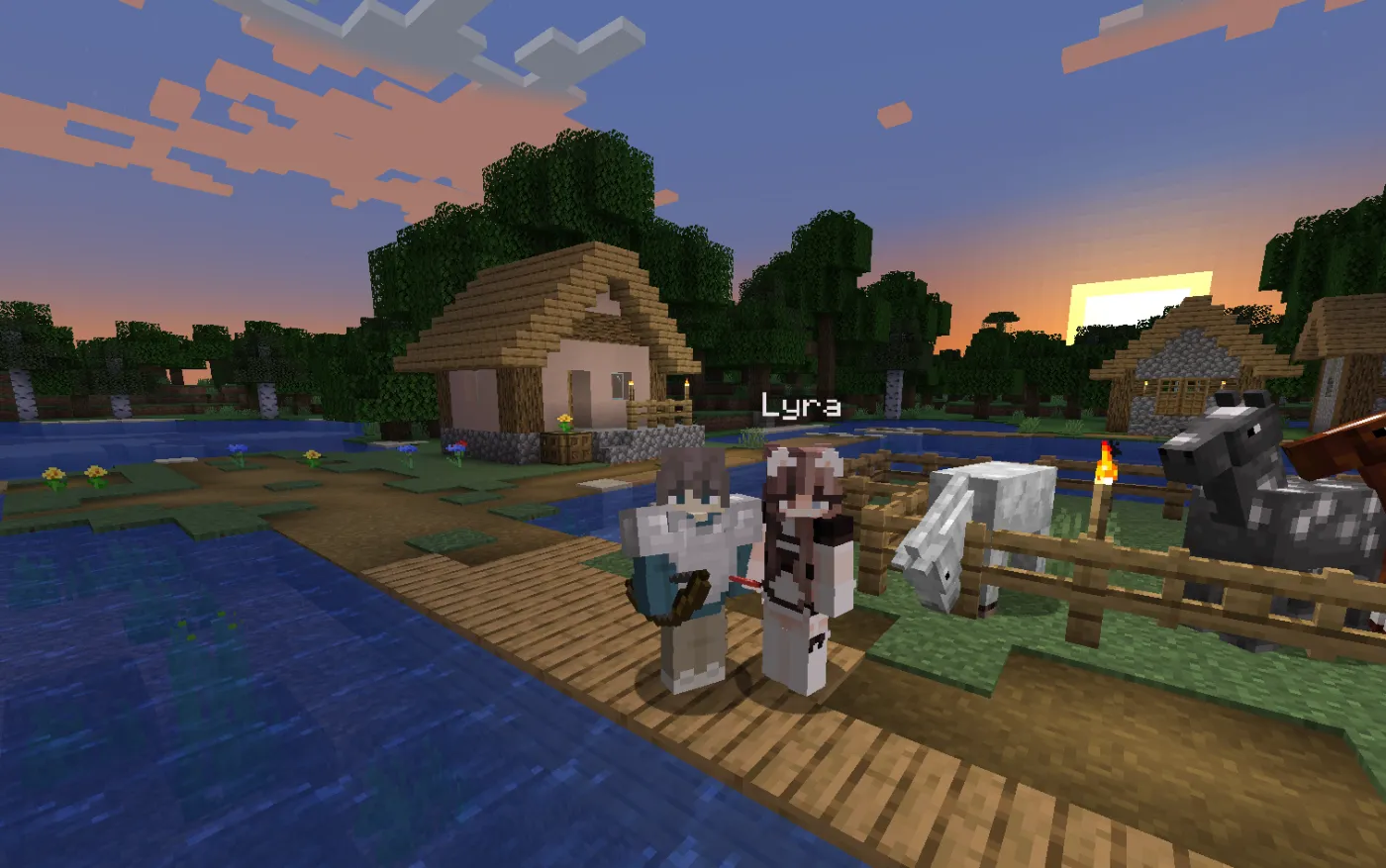
- Minecraft (Java Edition). Open your world to LAN and your companion joins as their own player, with their own skin. They follow you, explore, mine, craft and smelt, build, fight mobs, eat, sleep, and use chests. More than one companion can join the same world. Sei is a desktop app, not a mod, so this works in plain vanilla worlds. Bedrock, console, and mobile are not supported.
- Stardew Valley. Your companion is a character on your farm. They water and harvest, clear land, ship produce, go down the mines, fish, and hand you items. It works in single player, with no cabin or co-op slot needed. Sei installs SMAPI and its small helper mod for you.
- Don't Starve Together. In a world you host, your companion picks a survivor, gathers, builds, keeps the fire going at night, fights, and warns you about danger. One companion per world for now.
A companion who watches any game: Backseat
For every other game there is Backseat, Sei's screen-share mode (labeled beta in the app). Share a window or your whole screen, and your companion watches with you, hears the game, and talks with you on a voice call. They can save the last 15 seconds as a clip when something good happens. There are no mods and no setup for each game, and Sei does not read game memory or change game files.
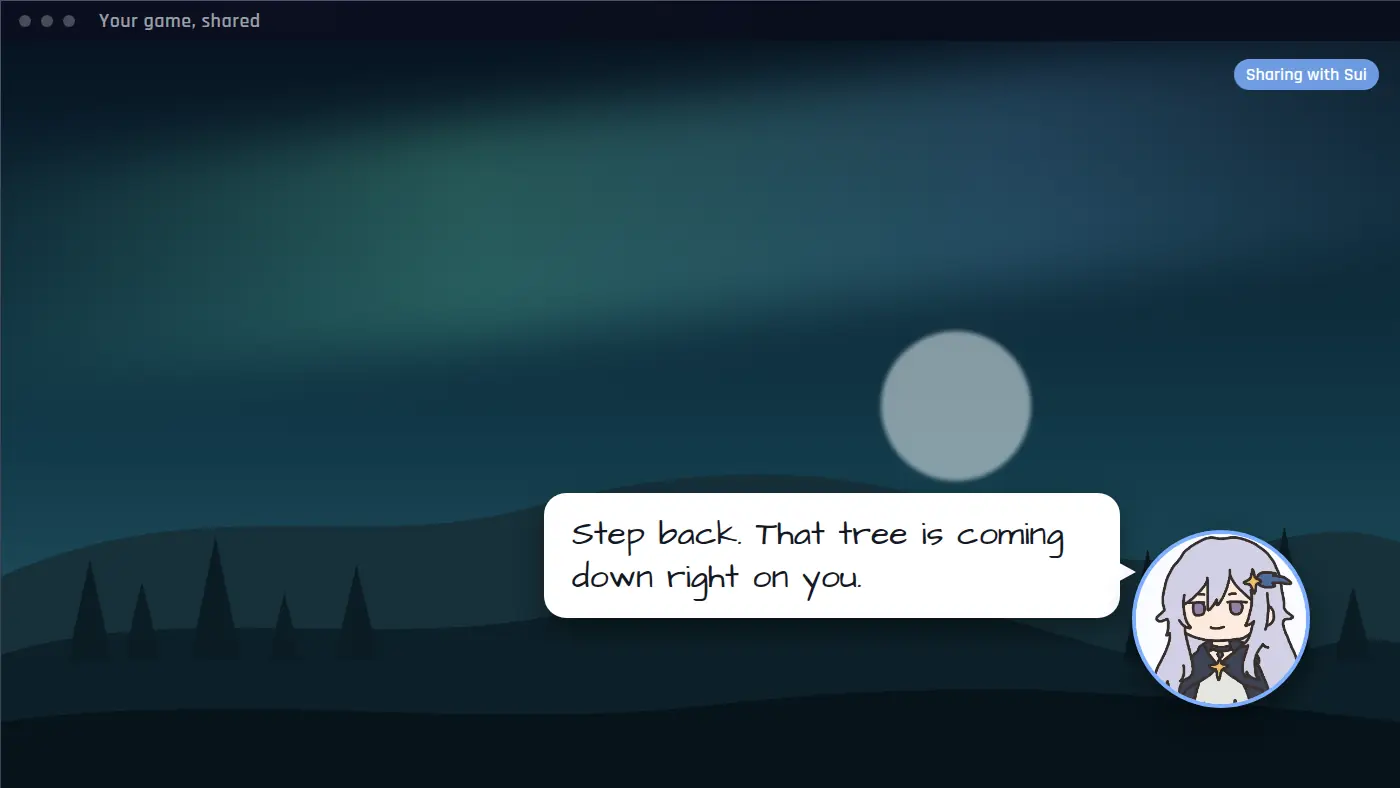
Backseat watches and talks. It does not press keys or play for you. It works with games like Roblox, Elden Ring, Hollow Knight: Silksong, Valheim, and Factorio. Each of those pages covers what works well and the limits in that game.
Games inside the app: chess and Draw!
- Chess. Play untimed games on a 3D board while your companion talks in chat or on a call. Their moves come from Maia-3, a model trained on human games, at 400 to 2000 Elo. On Auto the level follows your results. Games are saved with a replay.
- Draw! Take turns sketching and guessing words with your companion, three rounds. You can also try it in your browser with Sui, three free games a day.
One companion in every game
- Voice calls. Call your companion with or without a game running. Group calls can hold more than one companion. They talk in English, Chinese, Japanese, Korean, French, or Spanish.
- Memory. Each companion keeps a long-term memory of you across chats, calls, and games, so they can bring up what you built last time and what you planned next. It is stored on your computer and is not synced to Sei's servers. See the privacy policy for what is sent where.
- Their own personality. Sui joins you when you set up Sei. Lyra, Marv, and companions other players have shared are in the app. How they talk, tease, or encourage you depends on who they are.
- Make your own. Sei can generate a new companion for you, with a persona, a portrait, and a Minecraft skin made from that portrait. Or write a short description that Sei expands into a full persona, then pick an image, a skin, and a voice.
- Looking things up. In chat, on calls, and in the games they join, a companion who is not sure about something says a quick line like "lemme check", looks it up on the web, and then answers. Answers from the web can be out of date.
Use your ChatGPT plan
If you have ChatGPT Plus or Pro, choose Continue with ChatGPT when you sign in to Sei, and your companions can run on your ChatGPT plan with no API key. It works on every Sei plan, including Free, and the usage counts toward your ChatGPT plan. Details are on the ChatGPT gaming companion page.
What is free
You can start for free with no card. The Free plan has a weekly allowance that covers chat, voice calls, and games, and paid plans give you a bigger one. Current plans and prices are in the app and in the comparison table. You can also run the open source app on your own API key or on a local model with Ollama, without a Sei plan.
How Sei compares with other AI gaming companions
Most apps that call themselves an AI gaming companion watch your screen and talk. A few put an AI inside a game. This short table shows which is which. Sei makes this page, so we took the facts about the other apps from their own websites.
| App | How it keeps you company | Runs on |
|---|---|---|
| Sei | Plays inside Minecraft (Java), Stardew Valley, and Don't Starve Together; chess and Draw! in the app; watches any other game with Backseat | macOS, Windows |
| Questie AI | Watches your screen and talks | Web browser, iOS, Android |
| HakkoAI | Watches your screen and gives tips | Windows, iOS, Android |
| Sidekick AI | Watches your screen and coaches by voice | Windows, through Steam |
| MinePal | Plays inside Minecraft as a bot | Windows, macOS, Linux |
| Player2 | AI characters inside games, through community mods | Player2 desktop app |
Where other apps are a better fit:
- On a phone or console. Sei is desktop only. Questie AI, HakkoAI, and MinePal have phone apps.
- Minecraft Bedrock or modded worlds. Sei joins vanilla Java Edition worlds. MinePal supports Bedrock lobbies and modded Java.
- AI inside many more games. Player2's community mods cover games such as RimWorld and Kenshi. Sei can still watch those games with Backseat, but it will not act inside them.
- Coaching to win. Sei's companions are friends with opinions, not coaches. HakkoAI and Sidekick AI focus on tips and strategy.
- More languages. Questie AI lists more than 50.
The full comparison, with prices, memory, own-key support, and sources, is on AI gaming companion alternatives, compared. For screen-watching coaches and overlays there is also Sei vs AI gaming coaches and overlays.
How to start
- Install Sei on your Mac or Windows PC. The app updates itself.
- Meet Sui, or make your own companion.
- Pick a game under Play together, or press the Backseat button and share the game you are playing.
- Talk. Type in the chat, or start a voice call and just speak.
Each game page has its own setup steps and requirements.
Questions
What is an AI gaming companion?
Is there an AI that actually plays games with you?
Which games does Sei work with?
Is Sei free?
Does Sei work on Mac?
Do I need mods or an API key?
Can I talk to my companion by voice?
Does my companion remember me?
Can I make my own AI gaming companion?
How is Sei different from Questie AI, HakkoAI, or Sidekick AI?
Try it
Download Sei, meet your companion, and pick a game.