
An Escape the Backrooms AI companion that watches you play
Build an AI companion in Sei with their own personality, voice, look, and memory, then bring them into your Escape the Backrooms runs. With Sei's Backseat mode they watch your screen, react when something comes out of the dark, help you think through the way out, and talk with you out loud on a voice call. They never play for you. It works on Windows, with no mod.
Not a mod or a bot teammate: what Sei is
Sei is a desktop app for AI gaming companions that you can shape yourself. You describe who they are and Sei writes their personality, you pick their voice and their look, and they keep a memory of you that carries from one game to the next. Escape the Backrooms has no AI teammates of its own: it is made for one to four people. Sei does not add a bot to your lobby. You share your screen on a voice call, and your companion watches and talks with you while you play. There is nothing to install into the game and nothing to update when it patches. Your companion cannot walk, open a door, or run for you. They watch, react, and talk. The comparison with other AI companions for Escape the Backrooms below shows which fits what you want.
What your companion does while you play
- Reacts to the scare. Each look is a handful of frames from the last six seconds, so they see the hallway you just ran down and the thing that was in it, not a single still picture. A sudden flash, the lights going out, or a loud moment makes them look right away, and now and then they take a look on their own.
- Hears the game. The sound comes along with the share. In a game where the buzzing lights, the footsteps, and the noise behind you are half the fear, they hear it too.
- Helps you puzzle it out. Ask which way you came from, what a code or a note could mean, or where the exit might be. They think it through with you from what they saw on screen and what the AI model behind them knows about the game. They can be wrong, more so on newer levels.
- Answers when you talk. Your questions come first. Ask whether that was an entity or just a shadow, and they tell you what they saw.
- Saves clips. The entity that caught you, the run to the exit, the moment you screamed: they can save the last 15 seconds or so as a video and drop it in your chat.
- Remembers you. They remember what was said earlier in the call and can save what you tell them, so next time they know which levels you got through and which one keeps ending your run.
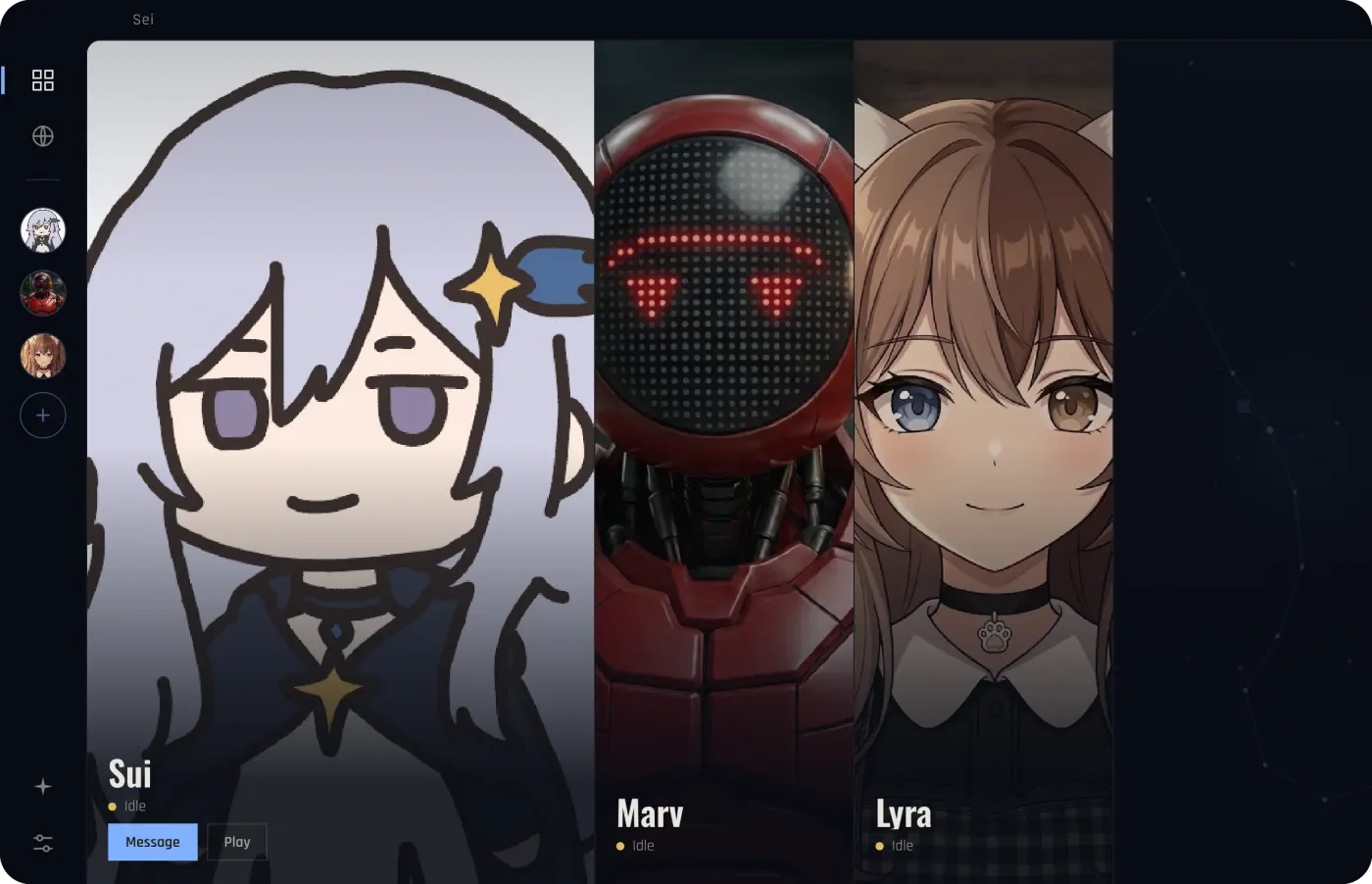
How they say it is up to the companion. Sui teases you a little about how fast you ran. One you make yourself can be calm and steady, which helps when the hallway goes dark, or just as scared as you are.
Escape the Backrooms moments it is made for
- Level 0. Yellow walls, humming lights, and every hallway looks the same. Someone on the call notices when you have passed the same corner twice.
- Something behind you. An entity shows up and you run. They saw it too, they react with you, and the clip is in your chat.
- A puzzle that will not give. A code, a door, a way out you cannot find. Talking it through out loud with someone often gets you there.
- Playing alone. Up to four people can play, but nobody else is online tonight. A companion on the call keeps you company through a solo run. They do not join the game, so it is still a solo run to the game.
- With your team. You play with others and your companion watches your screen and talks with you on the side.
- After the run ends. They watched it go wrong and can talk through what happened, or just keep you company while you try the level again.
Set it up for Escape the Backrooms
- Install Sei on your Windows PC and pick a companion, or make your own.
- Start Escape the Backrooms and begin a solo run or join your team's lobby.
- Press the Backseat button in a chat with your companion. Pick the game window or your whole screen. The sound comes along too.
- Play. Sharing starts a voice call. Talk whenever you like, or just let them watch.
If the shared picture comes up black, switch the game to windowed or borderless mode in its display settings, or share your whole screen instead of the window. Use headphones, so your companion's voice does not go into your microphone.
Honest limits with Escape the Backrooms
- The game may hear you too. Escape the Backrooms has proximity voice chat, and its Steam page says entities can hear you. When you talk to your companion, you talk into the same microphone, so the game can pick that up like anything else you say. If you would rather it did not, look at the game's voice chat settings.
- Dark levels are hard to see. Each frame your companion gets is small, so a dark hallway, something far away in the gloom, or the writing on a note is often too hard for them to make out. Tell them what you see, or read the note out.
- It is not a walkthrough. In an ordinary screen share your companion does not search the web. The game keeps getting new levels (Level 421 came out in August 2026), and what the AI model knows about newer ones can be thin or wrong. For an exact route or a code, check a wiki.
- It looks, it does not play. They cannot press keys, move your character, or join your lobby, and they do not read the game's memory or change its files. They do not count as a team member who has to reach the exit.
- It runs on a voice call and uses your allowance. Sharing ends when the call ends. Every look is a call to the AI model, so it draws on the same weekly allowance as chat, and a long session uses more. If it runs out, Sei tells you and your companion goes quiet. Backseat is in beta.
- It hears your computer's sound, not only the game's. When you play with others, what your teammates say can end up in the text your companion gets, and on speakers your microphone can pick it up too. Headphones help.
- Windows PC only for this game. On a computer, Escape the Backrooms runs on Windows. Sei sees your computer's screen, so it does not work with the console versions.
Everything else about Backseat, including what stays on your computer, is on the Backseat page.
Sei vs other AI companions for Escape the Backrooms
Last checked
We found no mod that adds an AI teammate to Escape the Backrooms. AI help for it comes in a few other forms. Text roleplay bots on Character.AI, made by its users, run a Backrooms adventure in chat without the real game. Screen-watching companions such as Questie AI, HakkoAI, and Synca look at whatever game is on your screen and talk with you or show tips. Most of them do not name Escape the Backrooms on their own pages.
Sei is a screen-watching companion too, inside an app where you build the companion yourself and where the same companion also plays other games with you.
Sei makes this page. We took every fact about the other apps from their own pages on 2026-11-03 and link the pages we used. Where a page did not say something, the table says "not listed". If something here is out of date, tell us on Discord and we will fix it.
| Name | What it does | What you need | Talk and memory | Price |
|---|---|---|---|---|
| Character.AI bots | Text roleplay. User-made bots named after the game act as a narrator for a Backrooms story told in chat, from Level 0 onward. They are not connected to the real game and do not see your screen. | A Character.AI account, in a browser or the app | Chat with the bot | Free to chat. Character.AI also sells a paid plan. |
| HakkoAI | Watches and gives tips. Its site says it detects the game screen in real time and pushes tips. The games it names include Fortnite, Baldur's Gate 3, and Cities: Skylines, not Escape the Backrooms. | Windows app, plus an iOS app | Real-time voice chat. Memory across games. Companions with set personalities. | Not listed on its home page |
| Questie AI | Watches and talks. Screen sharing with voice. It has no Escape the Backrooms page, but it has pages for other co-op horror games such as Phasmophobia and Lethal Company, with callouts like warning you when a hunt starts. | Web browser on a Windows PC, plus a mobile app | Voice commentary while you play. Custom voice cloning from the Champion plan. | Adventurer $19.99 a month, Champion $49.99, Legend $149.99, with 25% off the first month. Each plan has a monthly credit amount. |
| Synca | Desktop pet that watches. A Chinese-language companion that sits on your desktop, recognizes what is happening in the game, and gives tips. It lists 逃离后室 (Escape the Backrooms) among the games it covers with general recognition rather than a custom setup. | Windows app | Keeps a record of your matches and moods | Not listed |
| Sei | Watches and talks. With Backseat, your companion watches the screen you share, hears the game, talks with you, saves 15-second clips, and remembers you. They see the picture, not small text, and have no Escape the Backrooms tools of their own. | Desktop app for Windows (and Mac, where this game does not run). No mod. | Voice calls in 6 languages, Chinese included. Memory stored on your computer and shared across games. | Free plan with a weekly allowance, Quest from $8 a month. Or your ChatGPT Plus or Pro plan, your own API key, or a local model on Ollama that can see images. |
Sources, checked 2026-11-03: Character.AI (search for Escape the Backrooms); HakkoAI's home page; Questie AI's Phasmophobia page and Lethal Company page; Synca's home page.
Where the others are stronger than Sei
- A Backrooms story without the game. Character.AI bots run a whole text adventure in chat, on a phone or in a browser, with no game to buy.
- Game-specific horror help. Questie AI has pages made for co-op horror games such as Phasmophobia and Lethal Company,, with tips for evidence, hunts, and sanity. Sei has no game-specific tools for horror games.
- Looking things up. HakkoAI says it combines what it sees with web search. In an ordinary screen share, Sei does not search the web.
- Made for Chinese-language players. Synca is built in Chinese and names the game on its list. Sei's site and app are mostly in English, though your companion can talk in Chinese.
- Phones. Questie AI and HakkoAI have mobile apps. Sei needs its desktop app.
Where Sei is different
- A companion you build. Describe who they are, pick their voice and their look, and edit their personality whenever you like. Or start from Sui, Marv, or Lyra.
- A voice on the call. They talk with you out loud while you play, instead of in a chat box or an overlay.
- Nothing in the game. No mod to install or keep updated, so it works with any game version.
- One companion in many games. The same character also plays Minecraft, Stardew Valley, and Don't Starve Together with you as a player, and chess and Draw! in the app, with one memory across all of them.
- Your choice of AI. Sei's hosted models need no API key. You can also use your ChatGPT Plus or Pro plan, your own key, or a local model with Ollama.
- Open source. The app's code is on GitHub, so you can see exactly what it does with your screen.
Comparing companions beyond Escape the Backrooms? See the comparison of AI gaming companions.
Is it OK to use Sei with Escape the Backrooms?
Sei never touches Escape the Backrooms itself. It does not install anything into the game, open or read the game's process or memory, change game files, or send keys or clicks to it. It captures the window or screen you share with the same screen sharing that Chrome and video call apps use, and it takes the sound from your computer's audio output.
The game's end user license agreement (last updated 9 February 2024) says players must not "modify, alter, edit, adapt or create derivative works of" the game, or "decompile, de-obfuscate or reverse engineer" it. Sei does neither. The same agreement says you must not "use the Game in connection with any marketing, advertising or promotional activity", which is one reason this page uses no game images or footage. We found nothing in the agreement, on the Steam store page, or in the studio's Steam announcements about screen sharing, AI tools, overlays, or companion apps, and the store page lists no anti-cheat. Fancy Games and Secret Mode have not said anything about Sei, so we cannot speak for how they treat any outside app. If you are unsure, ask them before you play.
Questions
Is there an AI companion for Escape the Backrooms?
Can an AI play Escape the Backrooms with me as a teammate?
Is Sei a mod or a cheat?
Will my companion help me find the exit?
Can entities hear me talking to my companion?
Can I get banned for using Sei with Escape the Backrooms?
Does it work on Mac?
Is it free?
Try it
Download Sei on your Windows PC, pick a companion or make your own, start Escape the Backrooms, and press the Backseat button in your chat.