
A Genshin Impact AI companion that watches you play
Build an AI companion in Sei with their own personality, voice, look, and memory, then bring them into your Genshin Impact sessions. With Sei's Backseat mode they watch your screen, react to your wishes and fights, and talk with you out loud on a voice call. Nothing is installed into the game.
What Sei is
Sei is a desktop app for AI gaming companions that you can shape yourself. You describe who they are and Sei writes their personality, you pick their voice and their look, and they keep a memory of you that carries from one game to the next. In Genshin Impact your companion joins you through Backseat: you share your screen on a voice call, and they watch and talk with you while you play. They do not appear in Teyvat, control your character, or change anything in the game. The comparison with other Genshin Impact AI companions below shows which kind of app fits what you want.
What your companion does while you play
- Reacts to what just happened. Each look is a handful of frames from the last six seconds, so they see the fight you just finished or the chest you just opened, not a single still picture. A sudden flash or a loud moment makes them look right away, and now and then they take a look on their own.
- Hears the game. The sound comes along with the share, and spoken lines are turned into text on your computer, so they can react to what a character just said in a cutscene.
- Answers when you talk. Ask whether a team looks balanced, where to go next, or whether that pull was worth it. Your questions come first.
- Talks about the game. They know what the AI model behind them knows about Genshin Impact, which is a lot for a game this widely played. It can be out of date on the newest version, and wrong on exact numbers.
- Saves clips. A big wish result, a close fight, or a fall you would rather forget: they can save the last 15 seconds or so as a video and drop it in your chat.
- Remembers you. They remember what was said earlier in the call and can save what you tell them, so next time they know which region you were exploring and what you were saving up for.
How they say it is up to the companion. Sui teases you a little about your luck. One you make yourself can be calm, dry, or very invested in your next banner.
Genshin Impact moments it is made for
- A new region. You are climbing, gliding, and opening every chest you can find. Someone is there to point out the thing on the cliff you just flew past.
- Wishing. You save for weeks and then press the button. They watch it with you, cheer or wince, and the clip is in your chat.
- The daily routine. Commissions, spending Resin, farming the same domain again. It goes faster with someone to talk to.
- The hard fight. A boss or a Spiral Abyss floor that keeps beating you. They have watched the last few tries and can talk through what went wrong, or just keep you company while you go again.
- The story. A long Archon Quest with a lot of dialogue. They heard it too and want to talk about what it means.
Set it up for Genshin Impact
- Install Sei on your Windows PC and pick a companion, or make your own.
- Start Genshin Impact.
- Press the Backseat button in a chat with your companion. Pick the Genshin Impact window or your whole screen. The sound comes along too.
- Play. Sharing starts a voice call. Talk whenever you like, or just let them watch.
If the shared picture comes up black, switch the game to a windowed display mode in its graphics settings, or share your whole screen instead of the window.
Honest limits with Genshin Impact
- Windows for this game. Genshin Impact has no Mac version. Sei only sees your computer's screen, so it is made for the PC version, not for play on a phone or a console.
- It sees the picture, not the small numbers. Each frame your companion gets is small, so artifact substats, damage numbers, and small icons are often too small to read. Read the numbers out or tell them what you are looking at.
- It is not a build calculator or a guide. In an ordinary screen share your companion does not search the web, and they cannot see your account beyond what is on the screen. For exact builds or the current event schedule, check a guide.
- Game voices are heard in your language. Spoken lines are turned into text in the language you talk with your companion in. If the game's voice-over is in a different language, they may not catch what was said.
- It looks, it does not play. They cannot press keys, move your character, or join your co-op world, and they do not read the game's memory or change its files.
- It runs on a voice call and uses your allowance. Sharing ends when the call ends. Every look is a call to the AI model, so it draws on the same weekly allowance as chat, and a long session uses more. If it runs out, Sei tells you and your companion goes quiet. Backseat is in beta.
- It hears your computer's sound, not only the game's. If you are on voice chat with other players, what they say can end up in the text your companion gets, and on speakers your microphone can pick it up too. Headphones help.
Everything else about Backseat, including what stays on your computer, is on the Backseat page.
Is it OK to use Sei with Genshin Impact?
Sei never touches Genshin Impact itself. It does not install anything into the game, open or read the game's process or memory, change game files, or send keys or clicks to it. It captures the window or screen you share with the same screen sharing that Chrome and video call apps use, and it takes the sound from your computer's audio output.
HoYoverse's Terms of Service (last updated 20 May 2026) say the game may include cheat detection software (Section 4), and they ban software that "may cause an unfair competitive advantage in, interfere with, or disrupt the operation" of their services (Section 3). We found nothing in them about screen sharing, AI tools, or companion apps. HoYoverse has not said anything about Sei, so we cannot speak for how they treat any outside app. If you are unsure, ask HoYoverse support before you play.
Sei vs other Genshin Impact AI companions
Last checked
AI help for Genshin Impact comes in a few forms. A screen-watching companion such as Questie AI or HakkoAI looks at your game through screen sharing and talks with you by voice. An account advisor such as Luminary connects to your HoYoLAB account and plans builds, teams, and wishes from the characters you own. A desktop companion such as Asiden keeps a character on your screen to talk with, and can look at your screen when you let it. There are also many character chat sites where you role-play with someone from the game, which are not about playing it.
Sei is a screen-watching companion too, inside an app where you build the companion yourself and where the same companion also plays other games with you.
Sei makes this page. We took every fact about the other apps from their own websites on 2026-10-31 and link the pages we used. Where a page did not say something, the table says "not listed". If something here is out of date, tell us on Discord and we will fix it.
| Name | What it does in Genshin Impact | Where it runs | Voice and memory | Price |
|---|---|---|---|---|
| Asiden | Desktop companion. A 3D or Live2D character on your desktop that you talk with while you work or play. It can see your screen when you choose to share it. Nothing specific to Genshin Impact is listed. | Windows 11 only, in early access | Text or voice. Memories you can see and edit. | $10 to buy. Runs locally, with optional cloud AI. |
| HakkoAI | Watches and gives tips. Its Genshin Impact page lists build plans for your roster, Spiral Abyss team ideas, company while you wish, quest route guides, boss phase tips, and Resin reminders. | Download page lists PC, Mac, and Android | Voice calls (30 minutes a day on Free, 120 on Pro). Memory, with more detail kept on paid plans. | Free plan with weekly credits. Screen recognition is listed on the paid plans. Pro $9.90 a month, Ultra $19.99. |
| Luminary | Account advisor. Sign in with HoYoLAB and it imports your roster, then plans wishes, grades builds against benchmarks, suggests Spiral Abyss teams from what you own, and warns you about Resin. It does not watch your screen. | iPhone and Android apps | Not listed. You ask in the app. | Free to start. Paid tiers listed (Dolphin, Whaler), price not on its home page. |
| Questie AI | Watches and talks. Its Genshin Impact page describes callouts on elemental reactions, team building, artifacts, and Spiral Abyss rotations, with a ready-made companion profile for the game. It uses screen sharing, with no plugin or game API. | Web browser, plus a mobile app | Voice chat. Memory across sessions. | Free trial. Adventurer $19.99 a month (about 25 hours). Your own API keys and 1080p vision from Champion ($49.99 a month). |
| Sei | Watches and talks. With Backseat, your companion watches the screen you share, hears the game, talks with you, saves 15-second clips, and remembers you. They see the picture, not the small numbers, and have no Genshin-specific tools. | Desktop app for Windows and Mac (Genshin Impact itself is Windows only) | Voice calls in 6 languages. Memory stored on your computer and shared across games. | Free plan with a weekly allowance, Quest from $8 a month. Or your ChatGPT Plus or Pro plan, your own API key, or a local model on Ollama that can see images. |
Sources, checked 2026-10-31: Asiden; HakkoAI's Genshin Impact page, pricing, and downloads; Luminary; Questie AI's Genshin Impact page and FAQ.
Where the others are stronger than Sei
- Genshin-specific help. HakkoAI and Questie AI describe features made for Genshin Impact, such as Spiral Abyss team ideas and Resin reminders. Sei's companion only has what the AI model knows and what is on your screen.
- Your real account. Luminary reads your roster through HoYoLAB, so its build and wish advice is based on the characters and artifacts you own. Sei sees only your screen, and small numbers are often too small for it to read.
- A sharper picture. Questie AI lists 1080p screen share vision on its Champion plan. Each frame Sei sends is much smaller.
- Phones and browsers. Questie AI runs in a browser and has a mobile app, and HakkoAI and Luminary have phone apps. Sei needs its desktop app, and it cannot watch Genshin Impact on a phone or console.
- A one-time price. Asiden is a single $10 purchase. Sei's hosted models use a free weekly allowance or a monthly plan.
Where Sei is different
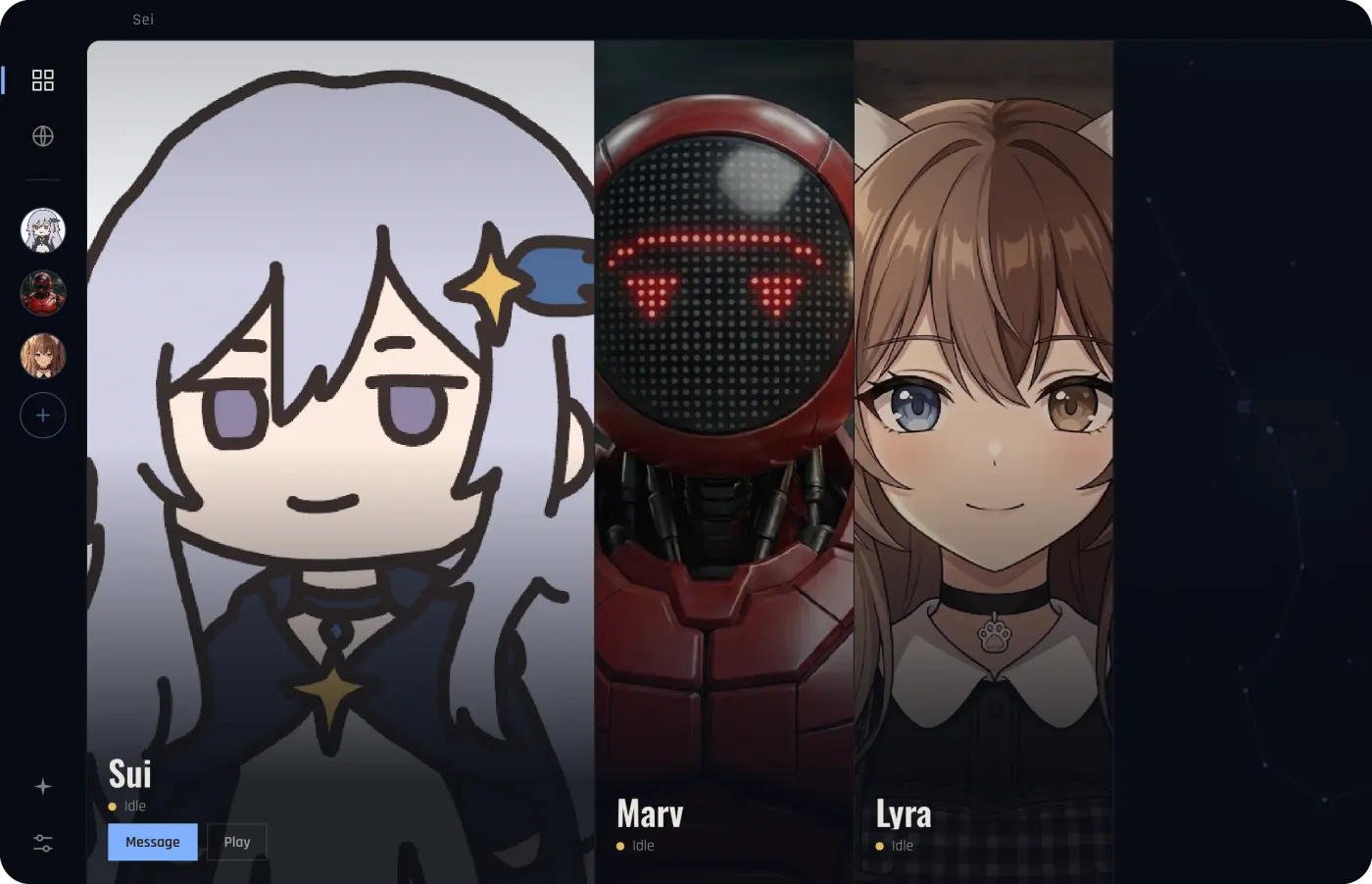
- A companion you build. Describe who they are, pick their voice and their look, and edit their personality whenever you like. Or start from Sui, Marv, or Lyra.
- One companion in many games. The same character also plays Minecraft, Stardew Valley, and Don't Starve Together with you as a player, and chess and Draw! in the app, with one memory across all of them.
- Your choice of AI. Sei's hosted models need no API key. You can also use your ChatGPT Plus or Pro plan, your own key, or a local model with Ollama.
- Clips. They can save the last 15 seconds as a video when something good happens and drop it in your chat.
- Open source. The app's code is on GitHub, so you can see exactly what it does with your screen.
These apps do different jobs: an account advisor gives you plans based on your real roster, a Genshin coach gives game-specific tips, and Sei gives you a companion of your own who watches and talks. Comparing companions beyond Genshin Impact? See the comparison of AI gaming companions.
Questions
Is there an AI companion that watches me play Genshin Impact?
Is Sei a Genshin Impact mod or cheat?
Can I get banned for using Sei with Genshin Impact?
Can my companion help with teams and artifacts?
Will my companion watch my wishes with me?
Does it work in co-op?
Does it work on Mac, phone, or PlayStation?
Is it free?
Try it
Download Sei on your Windows PC, pick a companion or make your own, start Genshin Impact, and press the Backseat button in your chat.