
A Terraria AI companion that watches you play
Build an AI companion in Sei with their own personality, voice, look, and memory, then bring them into your Terraria world. With Sei's Backseat mode they watch your screen, react to your digs and boss fights, and talk with you out loud on a voice call. It works on Mac and Windows, with no mod.
Not a Terraria mod: what Sei is
Sei is a desktop app for AI gaming companions that you can shape yourself. You describe who they are and Sei writes their personality, you pick their voice and their look, and they keep a memory of you that carries from one game to the next. Most Terraria AI companions are tModLoader mods that put a helper in your world. Sei works the other way: you share your screen on a voice call, and your companion watches and talks with you while you play. There is nothing to install into the game and nothing to update when it patches. Your companion cannot swing a sword or dig for you. They watch, react, and talk. The comparison with Terraria AI mods and tools below shows which fits what you want.
What your companion does while you play
- Reacts to what just happened. Each look is a handful of frames from the last six seconds, so they see the fight you just had or the cave you just fell into, not a single still picture. A sudden flash or a loud moment makes them look right away, and now and then they take a look on their own.
- Hears the game. The sound comes along with the share. Terraria has no spoken dialogue, so what matters most is the noise: a boss roar or an explosion makes them look.
- Answers when you talk. Ask what to fight next, whether your NPC houses look right, or whether it is time to go into the jungle. Your questions come first.
- Talks about the game. They know what the AI model behind them knows about Terraria, which is a lot for a game that has been played since 2011. It can still be wrong on exact recipes, drop rates, or the newest update.
- Saves clips. A boss down, a lucky drop, or a fall into lava you would rather forget: they can save the last 15 seconds or so as a video and drop it in your chat.
- Remembers you. They remember what was said earlier in the call and can save what you tell them, so next time they know which world you were on, which class you picked, and which boss keeps beating you.
How they say it is up to the companion. Sui teases you a little about how many times you died to the same boss. One you make yourself can be calm, dry, or very excited about a good hellevator.
Terraria moments it is made for
- The first night. The sun goes down before your house has a door. They noticed it was getting dark before you did.
- Digging down. A long way through caves and caverns toward the Underworld. Someone keeps you company and spots the chest you were about to walk past.
- The boss you keep losing to. They have watched the last few tries and can talk through what went wrong, or just keep you company while you build another arena.
- Into Hardmode. The world changes in one moment, and the clip of it is in your chat.
- Building. You spend an hour on a base, a castle, or a row of NPC houses. They have opinions about it.
- A long modded run. Sei only watches the screen, so a big tModLoader mod list is no problem for it.
Set it up for Terraria
- Install Sei on your Mac or Windows PC and pick a companion, or make your own.
- Start Terraria or tModLoader, and load your world or join a server.
- Press the Backseat button in a chat with your companion. Pick the Terraria window or your whole screen. The sound comes along too.
- Play. Sharing starts a voice call. Talk whenever you like, or just let them watch.
On a Mac, allow Screen Recording for Sei the first time. Sei shows you where. Game sound needs macOS 13 or newer. If the shared picture comes up black, switch Terraria to windowed or borderless mode, or share your whole screen instead of the window.
Honest limits with Terraria
- It sees the picture, not the small text. Each frame your companion gets is small, so item tooltips, stack counts, buff icons, and the minimap are often too small to read. Read the numbers out, or tell them what you are looking at.
- It is not a wiki. In an ordinary screen share your companion does not search the web. For an exact recipe, a drop rate, or where to find an item, check the Terraria Wiki.
- Mods are less familiar. Your companion knows the base game far better than big content mods, so they can mix up modded items, bosses, and classes.
- It looks, it does not play. They cannot press keys, move your character, or join your world, and they do not read the game's memory or change your world or player files.
- It runs on a voice call and uses your allowance. Sharing ends when the call ends. Every look is a call to the AI model, so it draws on the same weekly allowance as chat, and a long session uses more. If it runs out, Sei tells you and your companion goes quiet. Backseat is in beta.
- It hears your computer's sound, not only the game's. If you are on voice chat with other players, what they say can end up in the text your companion gets, and on speakers your microphone can pick it up too. Headphones help.
- Desktop only. Sei sees your computer's screen, so it does not work with Terraria on a phone, a Switch, or another console.
Everything else about Backseat, including what stays on your computer, is on the Backseat page.
Sei vs Terraria AI mods and tools
Last checked
AI help for Terraria comes in a few forms. Companion mods such as TerraGuardians, MoreAIPlayer, and AICompanion put a helper in your world who follows you, fights, and carries things. They run on game logic written by their authors, not on an AI chat model. NPC chat mods such as Chat AI let you talk with the town NPCs in plain language through an AI service. Advice tools such as TerraAI read your game state through a mod and suggest what to do next. A screen-watching companion such as Questie AI looks at your game through screen sharing and talks with you by voice.
Sei is a screen-watching companion too, inside an app where you build the companion yourself and where the same companion also plays other games with you.
Sei makes this page. We took every fact about the other mods and apps from their own pages on 2026-11-01 and link the pages we used. Where a page did not say something, the table says "not listed". If something here is out of date, tell us on Discord and we will fix it.
| Name | What it does in Terraria | What you need | Talk and memory | Price |
|---|---|---|---|---|
| AICompanion | In your world. A small flying companion that follows you, fights beside you, mines, takes orders, and grows through its own upgrade tree. Its page describes game logic, not an AI chat model. A work in progress. | tModLoader. Single player only. | Not listed | Free. Code on GitHub. |
| Chat AI | Talking NPCs. Lets you chat with the town NPCs in plain language. Its page lists 34+ NPC personalities. It does not add a companion who plays with you. | tModLoader 1.4.4 with the Player2 app running. Works in multiplayer. | Text chat. NPCs remember past conversations, separately for each world. | Free mod. Player2 gives free starter tokens and daily free tokens, per the mod's FAQ. |
| MoreAIPlayer | In your world. Summons AI-controlled teammates who are player characters: they equip armor and weapons, move through the terrain, and fight beside you, with Assault, Guard, and Sentry modes. No AI chat model is listed. | tModLoader 1.4.4. Single player for now. | Not listed | Free |
| Questie AI | Watches and talks. Its Terraria page describes live callouts, boss progression tips, crafting and class build advice, and banter, through screen sharing with no mod. | Web browser on a Windows PC, plus a mobile app | Voice chat. Memory. Custom companions. | Free trial. Adventurer $19.99 a month (about 25 hours). Your own API keys and 1080p vision from Champion ($49.99 a month). |
| TerraAI | Advice overlay. A floating overlay that reads your live game state (health, inventory, biome, bosses) through its own tModLoader mod and suggests what to do next, using a database of items, recipes, and enemies. | tModLoader, plus a backend and overlay you run yourself | Text in the overlay. Memory not listed. | Free and open source. Needs your own Groq API key. |
| TerraGuardians | In your world. Companion characters with their own stories, gear, and combat tactics. They carry items, use potions, and some can be ridden. Their lines are written by the author, not an AI model. | tModLoader 1.4.4. Multiplayer is not synced yet. | Written dialogue | Free |
| Sei | Watches and talks. With Backseat, your companion watches the screen you share, hears the game, talks with you, saves 15-second clips, and remembers you. They see the picture, not the small text, and have no Terraria-specific tools. | Desktop app for Mac and Windows. No mod. Works with the plain game and with tModLoader. | Voice calls in 6 languages. Memory stored on your computer and shared across games. | Free plan with a weekly allowance, Quest from $8 a month. Or your ChatGPT Plus or Pro plan, your own API key, or a local model on Ollama that can see images. |
Sources, checked 2026-11-01: AICompanion on GitHub; Chat AI on Steam Workshop; MoreAIPlayer on Steam Workshop; Questie AI's Terraria page; TerraAI on GitHub; the TerraGuardians thread on the Terraria forums.
Where the others are stronger than Sei
- A helper in your world. TerraGuardians, MoreAIPlayer, and AICompanion add a companion who actually fights, mines, or carries your things. Sei's companion is only on the call. They cannot hit anything for you.
- Your exact game state. TerraAI reads your health, inventory, and biome straight from the game, so its advice can use numbers Sei cannot see. Sei sees a small picture of your screen.
- NPCs who talk back. Chat AI lets you chat with the Guide, the Merchant, and the rest of your town. Sei does not change what the game's characters say.
- Terraria-specific tips and a sharper picture. Questie AI describes boss progression and class build help made for Terraria, and lists 1080p screen share vision on its Champion plan. Each frame Sei sends is much smaller.
- Free with no AI service. The companion mods are free and need no account or allowance. Every look Sei takes is a call to an AI model.
- Phones and browsers. Questie AI runs in a browser and has a mobile app. Sei needs its desktop app.
Where Sei is different
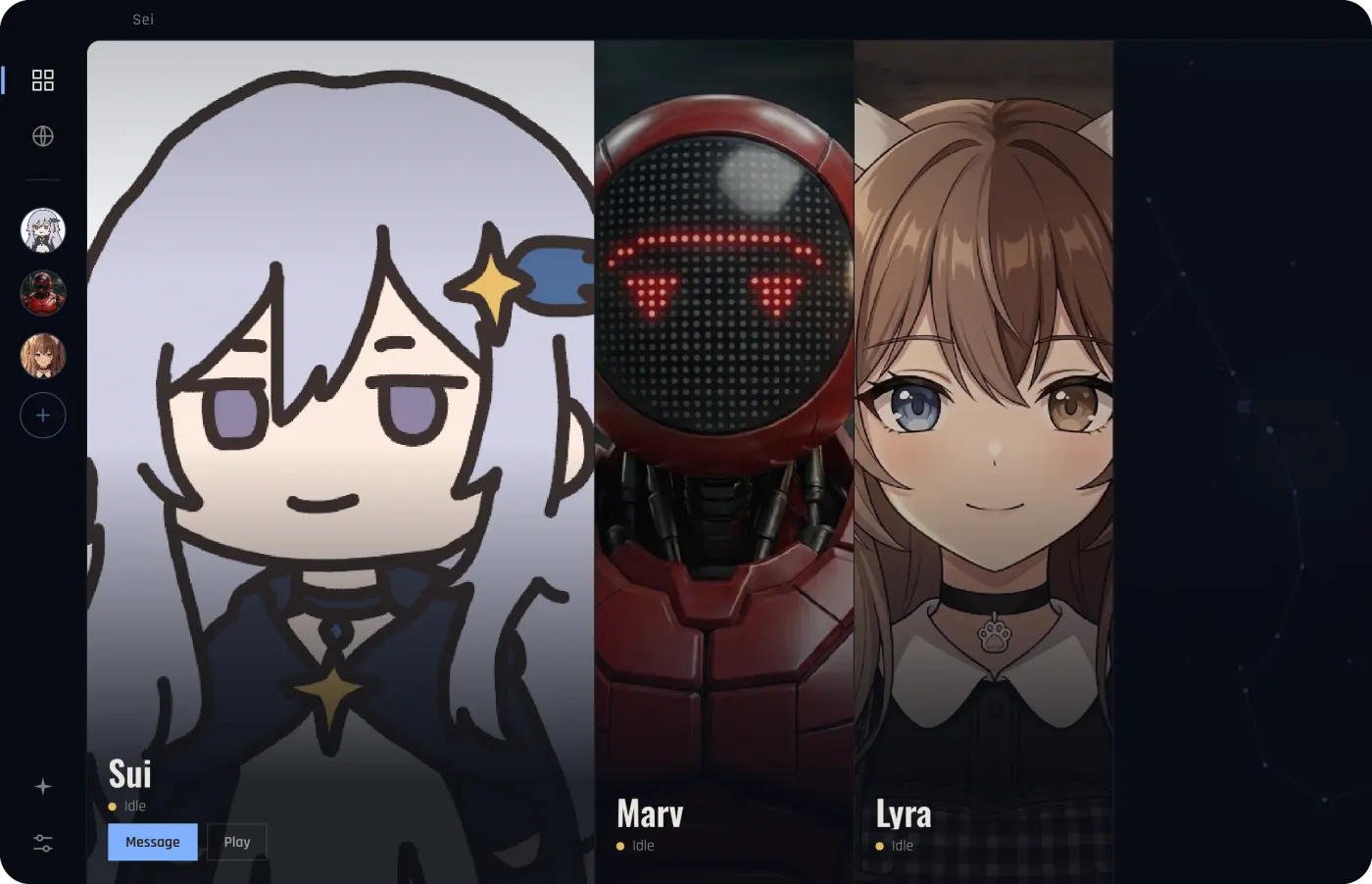
- A companion you build. Describe who they are, pick their voice and their look, and edit their personality whenever you like. Or start from Sui, Marv, or Lyra.
- A voice on the call. They talk with you out loud while you play, instead of in a chat box or an overlay.
- Nothing in the game. No mod to install or keep updated, so it works with any game version and any mod list.
- One companion in many games. The same character also plays Minecraft, Stardew Valley, and Don't Starve Together with you as a player, and chess and Draw! in the app, with one memory across all of them.
- Your choice of AI. Sei's hosted models need no API key. You can also use your ChatGPT Plus or Pro plan, your own key, or a local model with Ollama.
- Open source. The app's code is on GitHub, so you can see exactly what it does with your screen.
These do different jobs: a companion mod gives you a helper who fights in your world, an NPC chat mod makes your town talk, and Sei gives you a companion of your own who watches and talks. You can use a mod and Sei at the same time. Comparing companions beyond Terraria? See the comparison of AI gaming companions.
Is it OK to use Sei with Terraria?
Sei never touches Terraria itself. It does not install anything into the game, open or read the game's process or memory, change your world or player files, or send keys or clicks to it. It captures the window or screen you share with the same screen sharing that Chrome and video call apps use, and it takes the sound from your computer's audio output.
Re-Logic does not publish a separate license agreement for the PC game. On Steam, Terraria is sold under Steam's standard Subscriber Agreement. The Terms and Conditions of Use on terraria.org cover the website and its materials. We found nothing from Re-Logic about screen sharing, AI tools, overlays, or companion apps. Re-Logic has said it does not want AI-generated art in its official merchandise (reported in November 2024). That is about its own products, and it is one reason this page uses no game images and no art in the game's style. Re-Logic has not said anything about Sei, so we cannot speak for how they treat any outside app. Servers can have their own rules, so if you play on a public server, check them.
Questions
Is there an AI companion for Terraria?
Is Sei a Terraria mod?
Does it work with tModLoader and Calamity?
Can my companion help with bosses and what to do next?
Can I get banned for using Sei with Terraria?
Does it work in multiplayer?
Does it work on Mac?
Is it free?
Try it
Download Sei on your Mac or Windows PC, pick a companion or make your own, start Terraria, and press the Backseat button in your chat.